
Secarmy CTF 2.0 Junior Edition: Team Krypton Walkthrough
Writeups of Secarmy CTF 2.0 junior. it is an entry level CTF in a jeopardy style for beginner to mid level Cyber Security enthusiasts.


Secarmy CTF 2.0 was an entry-level CTF in a jeopardy style for beginner to mid-level cybersecurity enthusiasts. A total of 44 challenges were published, and over 1,500 competitors participated individually. I ranked 20th in this CTF. If you are new to cybersecurity fundamentals, read our comprehensive guide on ethical hacking for absolute beginners before diving in.
Here is a walkthrough of the challenges I solved during the event.
Challenge Categories Breakdown
| Category | Solved Challenges | Primary Skills Tested | Essential Toolset |
|---|---|---|---|
| Welcome | 3 / 3 | OSINT, social engineering, netcat connection | nc, web browser |
| Starters | 5 / 5 | Base encoding (Base32/Base64), binary, octal, hex | CyberChef, Python, zsteg |
| Forensics | 4 / 4 | PNG magic byte repair, PDF text stream, ROT ciphers | hexedit, pdftotext, Pastebin |
| Binary / Reversing | 4 / 4 | String extraction, stack smashing, COW esolang | strings, radare2, GDB |
| Web Exploitation | 4 / 4 | Client-side source analysis, cookie inspection, buckets | DevTools, curl |
Welcome
Welcome challenges were fairly simple and needed to just visit or hit a particular service, there were 3 challenges in this category.
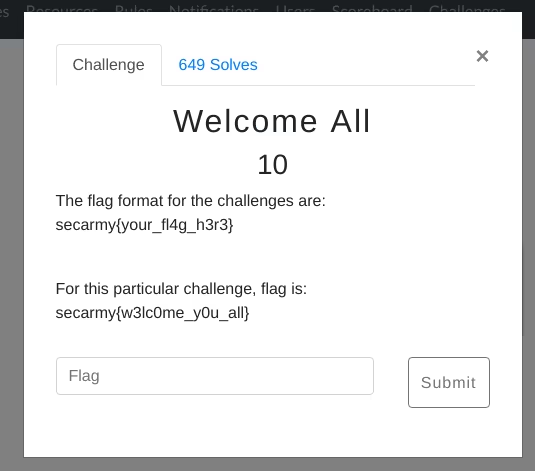
1. Welcome all: This one was the easiest, just had to submit the flag in from the description itself.
2. Netcat: Just doing a netcat with give IP address revealed the flag

flag : secarmy{W3lc0m3_T0_S3c4RmyC7F0x02}
3. Instafamous: This was the very old post from secarmy instagram account, the flag was in the description of post

flag : secarmy{w3lc0me_1n$t@\_f@m1ly}
Starters
These challenges were related to concepts like number systems, encryption, etc
1. “16+8”
flag : secarmy{Num3er_sys73m}
we have given two files with numbers in it
73 65 63 61 72 6d 79 7b
--------------------------------------------------------------------
116 165 155 63 145 162 137 163 171 163 67 63 155 175
as the name suggests the first part was hex and the second was octal so doing a simple conversion we got the flag.
2. Die basis
flag : secarmy{fl@g_1s\_\_th3_b@s3}
two files given :
********c2VjYXJteXtmbEBnXzFzXw==*******
**********L52GQM27MJAHGM35*********
the first one was base64 and the second one was base32 encoded
3. Easy capture
flag : secarmy{h3r3_y0u_c@ptur3}
01110011 01100101 01100011 01100001 01110010 01101101 01111001 01111011 01101000 00110011 01110010 00110011 01011111 01111001 00110000 01110101 01011111 01100011 01000000 01110000 01110100 01110101 01110010 00110011 011111014. Image
flag : secarmy{th3_im@ge_s4ys_i7_a11}
doing a simple zsteg revealed the flag

5. Th3 G1f7
flag : secarmy{h3re_1s_th3_g1ft}
same thing again the flag was revealed by a zsteg

Forensics
These challenges were mix of steganography, exif data, file headers, and others to illustrate the concepts in basically digital forensics.
1. its all in your head
flag : secarmy{h3ad3rs_t3ll_a_l0t}
a corrupted png file was given , i tried hexdump but the magic bytes were different from png so i changed them with hexedit which revealed the flag.

2. secret
flag : secarmy{ain’t_visible?}
a pdf with a username and a password hidden by asterisks after using pdftotext tool the flag was found
3. the confusion
flag : secarmy{WA3_I7_s0_c0nfu3ing}
flag was split and hidden in two images the first part was ROT13 and second was ROT47
3. the bin
flag : secarmy{PAST3_B1N_H@S_S0LUT10N}
here you have the flag :
61 48 52 30 63 48 4d 36 4c 79 39 77 59 58 4e 30 5a 57 4a 70 62 69 35 6a 62 32 30 76 54 45 30 35 63 57 56 33 64 57 6b 3d
--------------------------------------------------------------------
61 48 52 30 63 48 4d 36 4c 79 39 77 59 58 4e 30 5a 57 4a 70 62 69 35 6a 62 32 30 76 57 6d 52 71 54 6a 6
hex to text conversion gave two links of pastebin out of which the second one was working flag
4. Save them
flag : secarmy{PAST3_B1N_H@S_S0LUT10N}
Binary / Reversing
1. Stringy
flag : secarmy{l00k_a7_th3_str1ng5!!}
as the name suggests i did strings on the elf which gave me some weird strings c2VjYXJtH eXtsMDBrH X2E3X3RoH M19zdHIxH bmc1ISF9H i tried base64 but it didn't worked then i removed the H at the end and it gave me flag
2. Smash it
flag : secarmy{sm@sh1ng_st@ck_1s_t00_much_fun}
here’s the binary

3. F-L-A-S-H
flag: secarmy{7h1s_w45_345y_p34zy}
here’s the binary

4. backyard cow
flag : secarmy{d0y0u_l1k3_c0w_languag3\_\_\_?}
here’s the binary
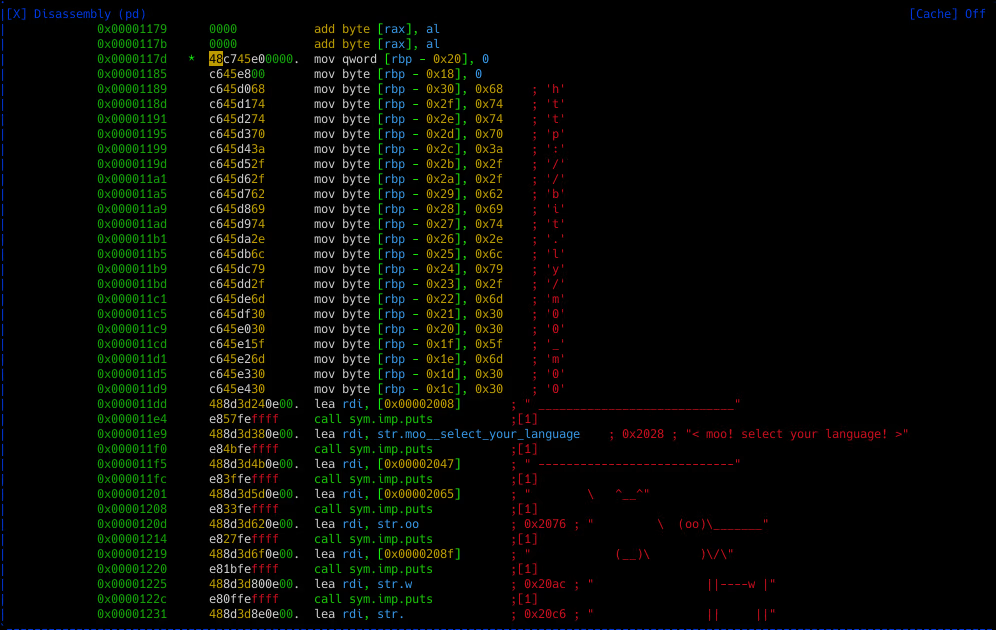
on reversing it with radare2 gave me a link to google drive file which has moo written everywhere, then i decoded it with cow interpreter
web
web challenges were easy one’s the flag’s were in source code, all are captured without using any other tool or intercepting.
1. prizes
flag : secarmy{s0urc3_i5_n3ces5ary}
2. web_salad
flag : secarmy{w3b_buck3t_3nc0un7er3d}
3. Cookie Bank
flag : secarmy{the\_$hy_c00kie_w1th1n}
4. silly mangolian 2.0
flag : secarmy{why*1s_th1s_m0ng0li@n*$uch\_@_f00l}